
Before your app is made available to your members you will have an opportunity to add new content to the app and test it to make sure the app meets your requirements.
Follow either the Android or iOS instructions to get the test version of the app on your device.
Android
- Tap the Google Play store link provided by the UnionConnect team in your e-mail app on your mobile device
- Follow the instructions given on your device
iOS (Apple iPhone)
Apple’s TestFlight is used to test your union app before being put on the public app store.
- Tap the TestFlight link provided by the UnionConnect team in your e-mail app on your mobile device
- You will see a page with two steps: Step 1: Get TestFlight and Step 2: Join the Beta
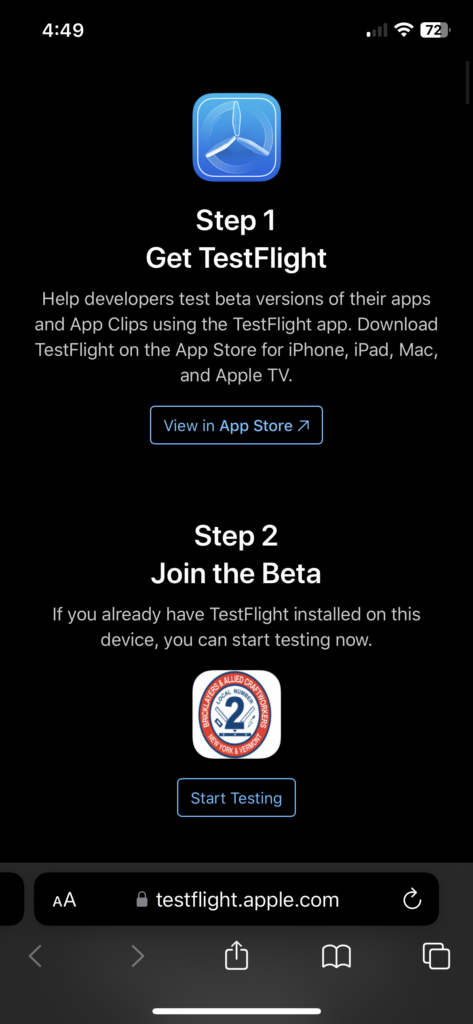
- If you don’t already have TestFlight installed, tap View in App Store and install it
- Important: After installing TestFlight, it will open and show a “Ready To Test” screen with a blue Redeem button. Do NOT tap Redeem. Instead, go back to your email and tap the install link for your union’s app (or scan the QR code if one was provided).
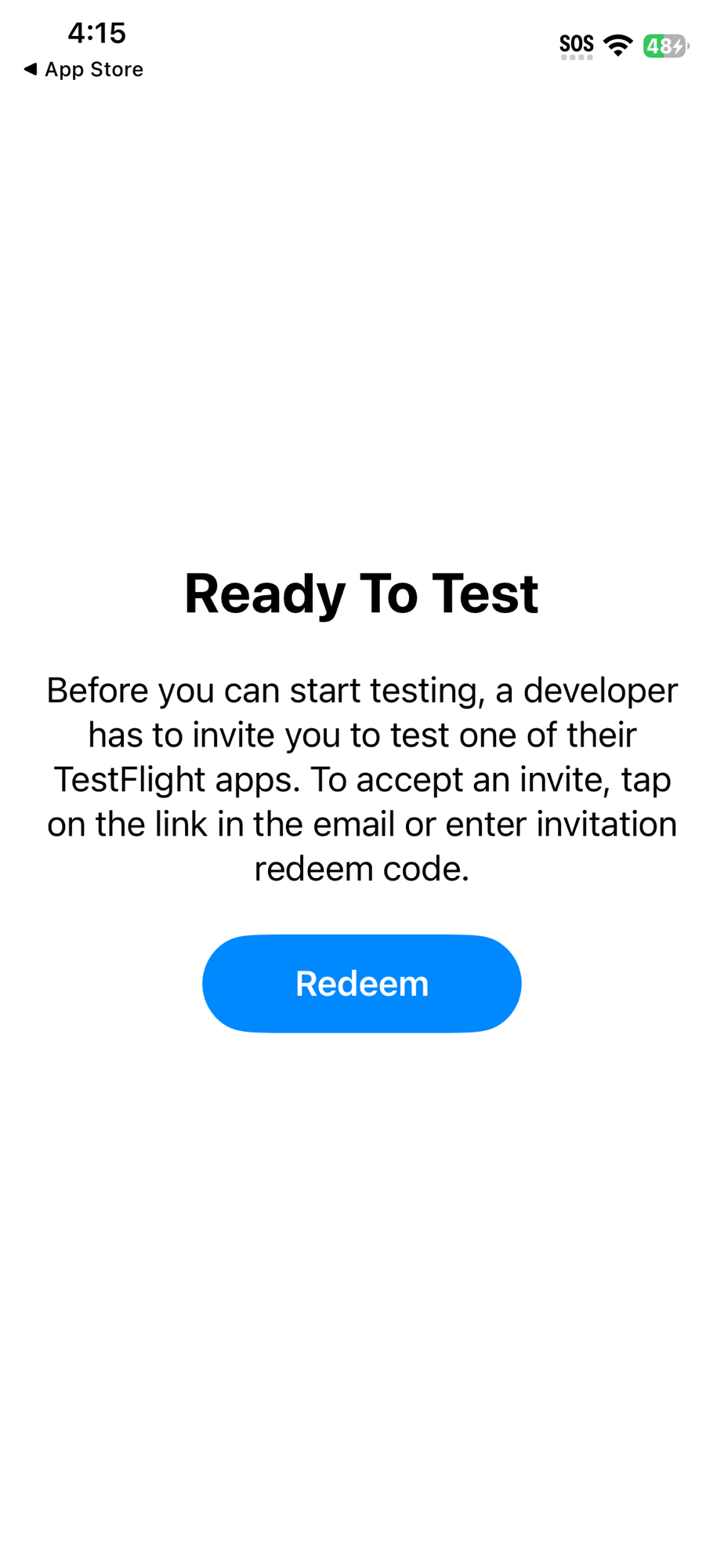
⚠️ Do NOT tap the Redeem button above. Go back to your email and tap the install link for your union’s app.
- Once you tap the install link for your union’s app from your email, tap Start Testing under Step 2, “Join the Beta”
- The TestFlight app will open and show your union’s app. You should see the test version of your union’s phone app in the listing:
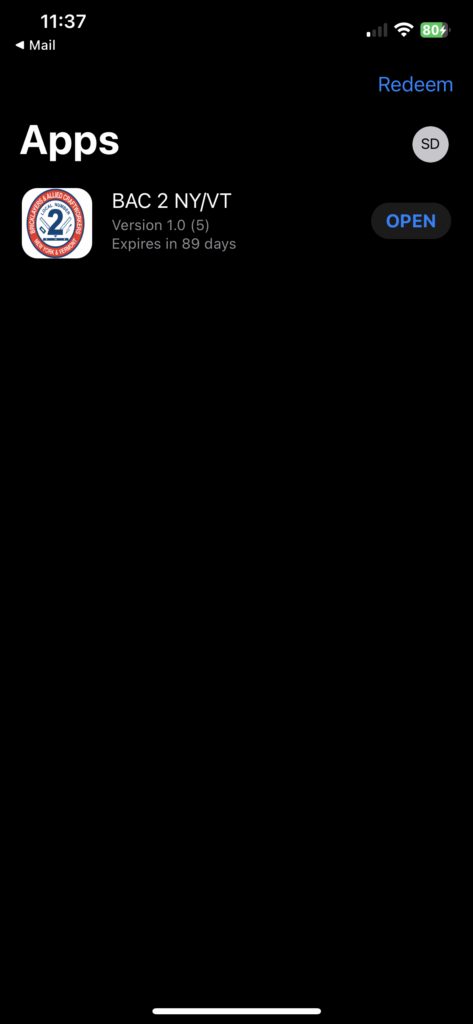
- Tap Open
- Tap Next:
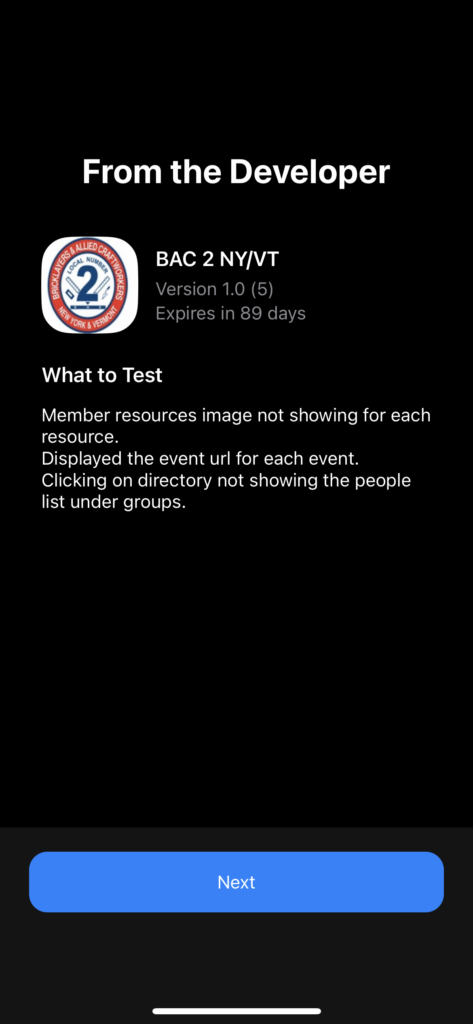
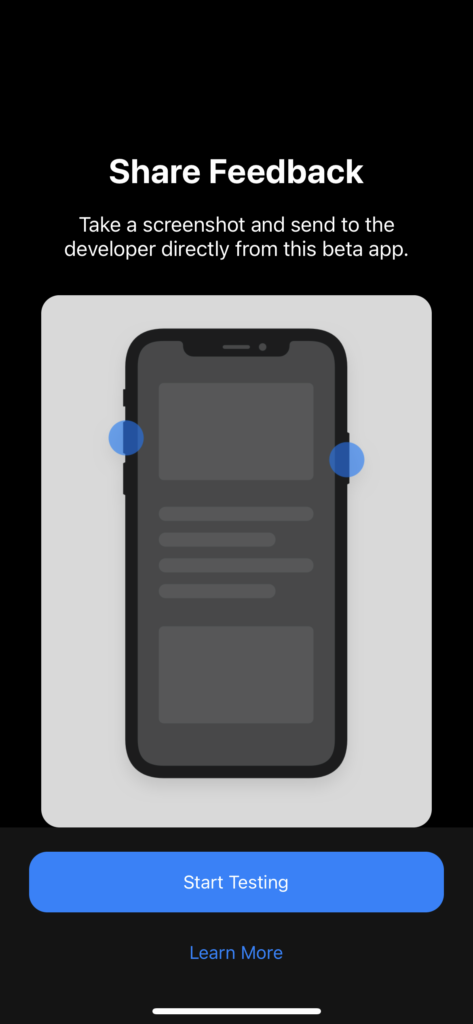
- Tap Start Testing:
- The phone app will now be available on your device