
Locations are a way to further group members inside specific bargaining units based upon where they are located. When members sign up with the app, they will be able to choose a location from the ones you have created.
Add a Location
- Login to the app manager
- From the menu on the left, find the Locations menu item under the bargaining unit or union-wide section you want to add it to
- Click the button next to the page heading: New Local Office on the union-wide Locations page, or New Locations in bargaining unit name under a bargaining unit (Locations is your local’s location label)
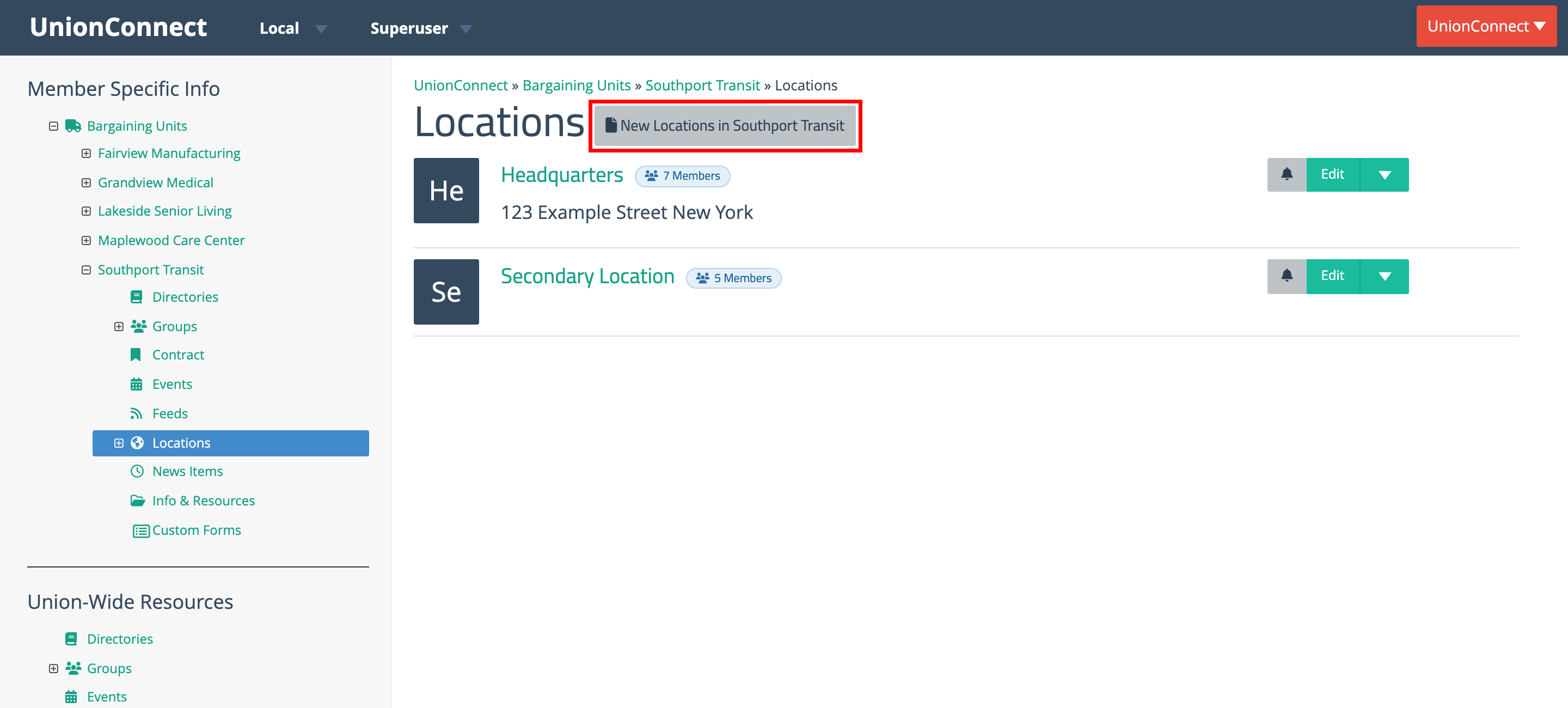
- Fill out the New Location form
- Name – Name of location
- Address – Address of location
- Phone – Phone number of the locatin
- Fax – Fax number for location
- Click Create Location
Delete a Location
- Login to the app manager
- Find the Location you want to remove
- Click the green dropdown next to the location
- Click Delete
Sublocations
Sublocations provide an additional level of organization for your members. When Enable sublocations is turned on in your local’s settings, any location under a bargaining unit can have any number of sublocations. Union-wide locations don’t have sublocations.
Adding a Sublocation
- Login to the app manager
- From the menu on the left, find the Locations menu item under the bargaining unit you want to add a sublocation to
- Click the green dropdown next to the location
- Click Sublocations (or your local’s sublocation label, if it has been renamed)
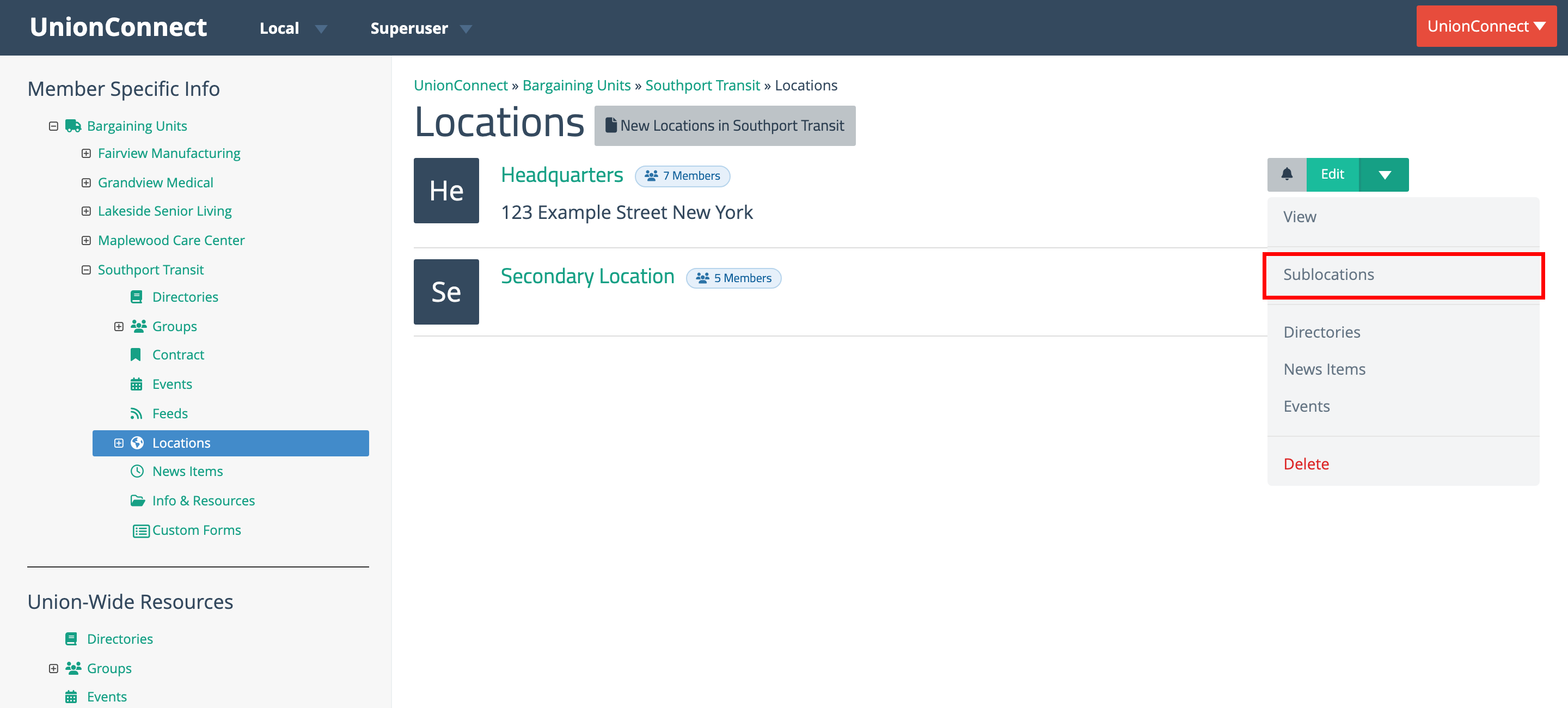
- Fill out the New Sublocation form
- Click Create Sublocation
Deleting a Sublocation
- Login to the app manager
- Find the Sublocation you want to remove
- Click the green dropdown next to the sublocation
- Click Delete