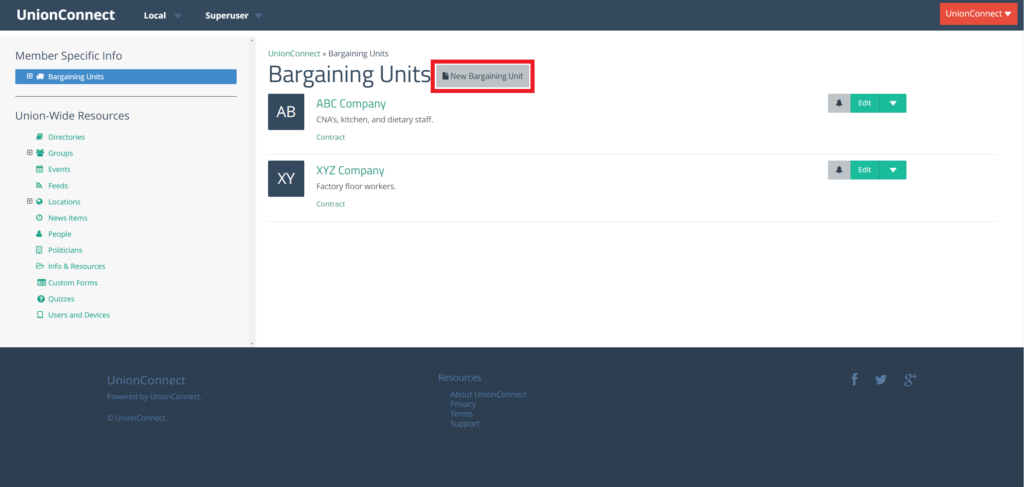
From the left menu, under Member Specific Info click on Bargaining Units
To create a new Bargaining Unit click New Bargaining Unit:
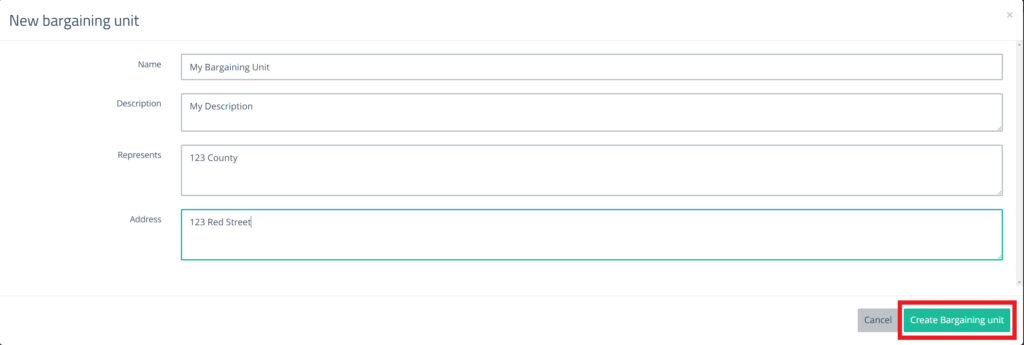
Fill out the information in the form and click Create Bargaining Unit
Name – Name of the bargaining unit
Description – Quick description of the bargaining unit
Represents – Who the bargaining unit represents
Address – Address of the bargaining unit
You will now be able to see the newly created bargaining unit in the listing with the others. Users will now also be able to sign-up with this bargaining unit.