
To reach every member of your local in a single push, send the notification from the Push Notifications Hub. The Hub’s Compose flow lets you choose All members as the audience.
Steps
- Log in to the app manager.
- Click Push Notifications from the left menu to open the Push Notifications Hub.
- Click the Compose button in the upper right.
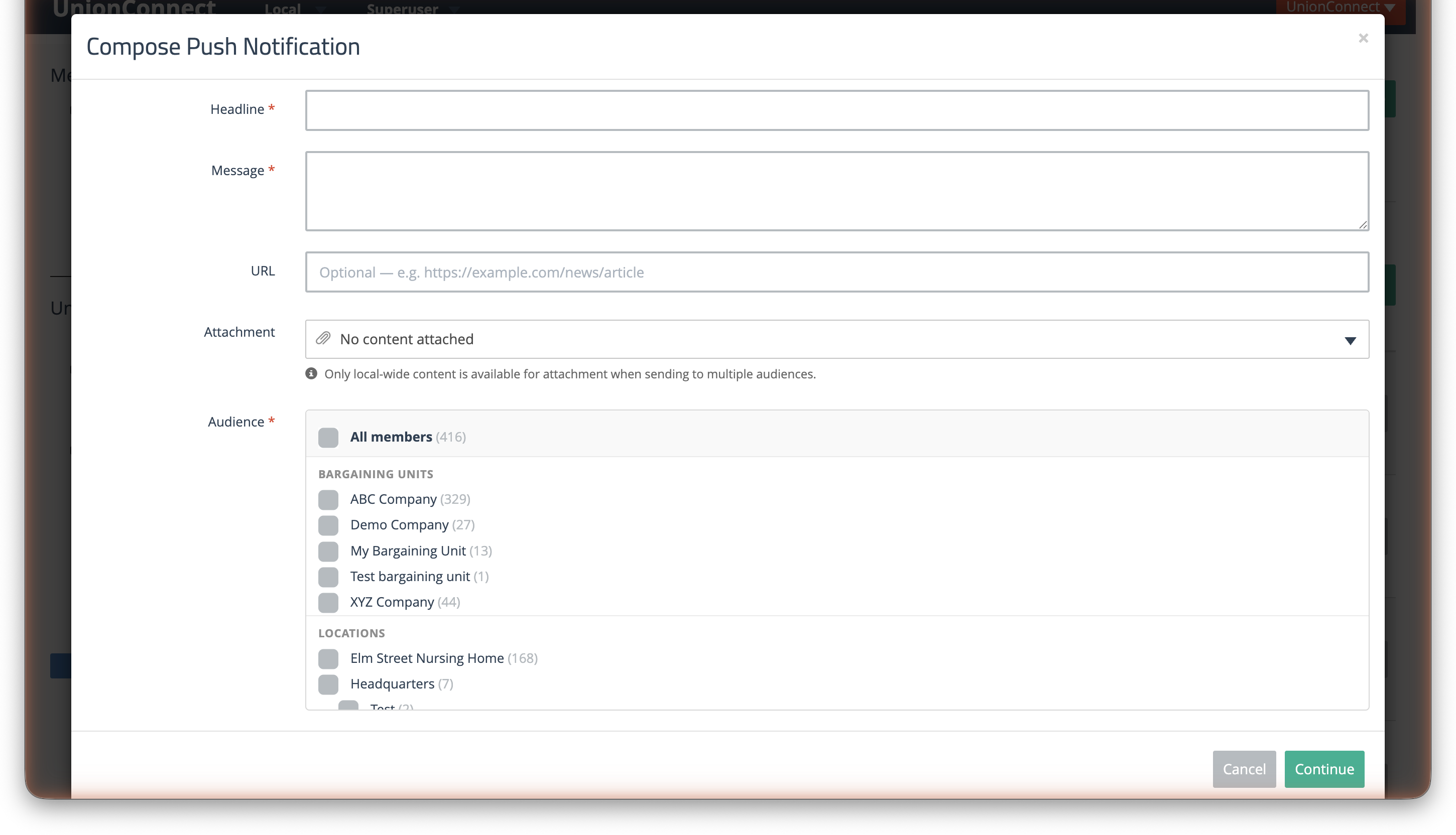
- Enter a Headline and Message. Both are required.
- For the Audience, tick All members. The number of members it will reach appears in brackets beside it.
- Optionally add a URL, or use the Attachment dropdown to attach a piece of content.
- Click Continue.
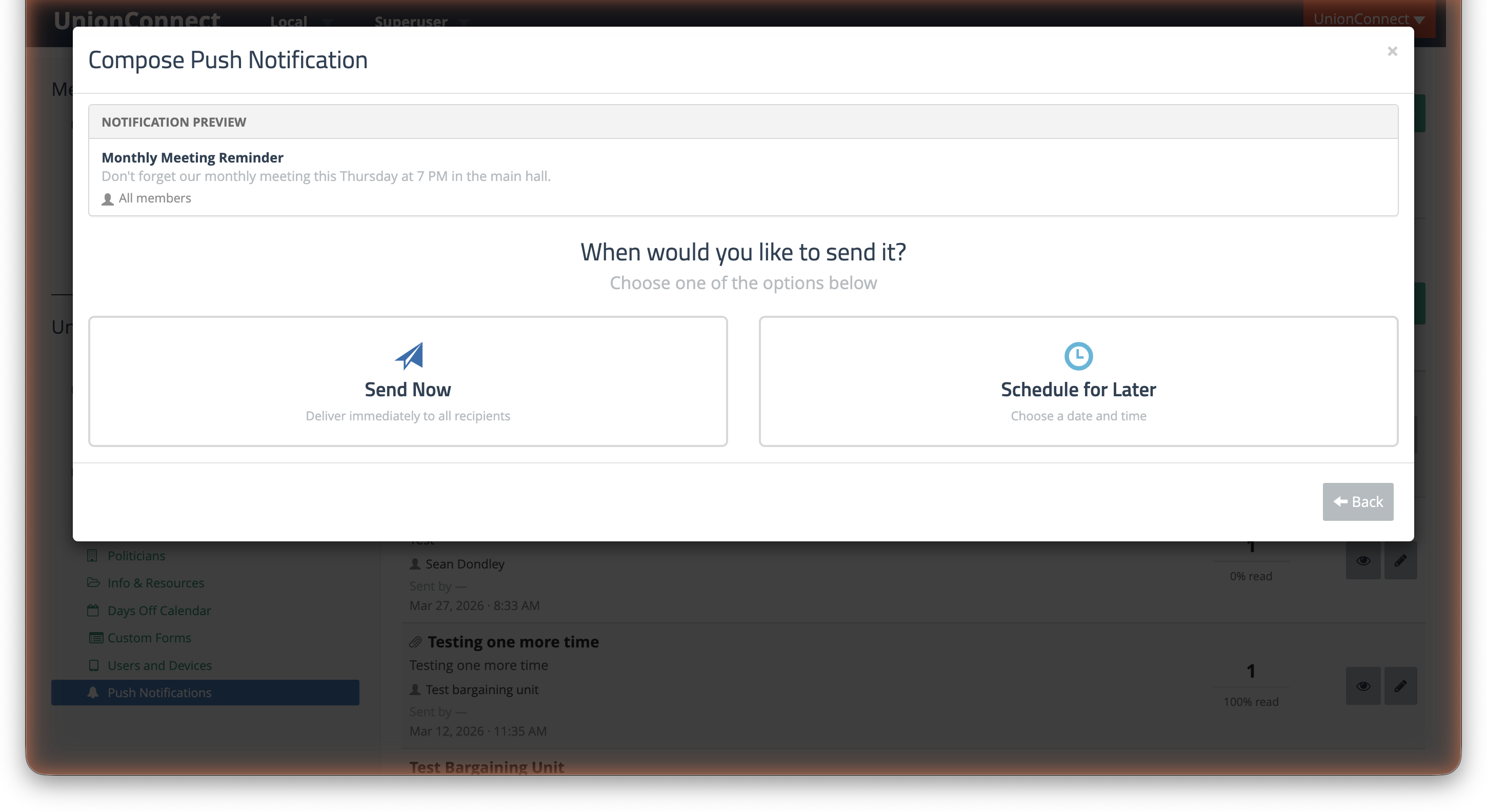
- Choose Send Now to deliver immediately, or Schedule for Later to pick a date and time.
After sending, the notification appears in the Sent tab of the Hub. Click the recipient count or the % opened link to open the Recipients view for that message.