
The members list on the Users and Devices page includes a Last seen in app column that shows when each member last opened the app. It’s a quick way to see who’s actively using the app and who may need a nudge.
- Login to the app manager
- From the menu on the left, click Users and Devices
- Look at the Last seen in app column for each member
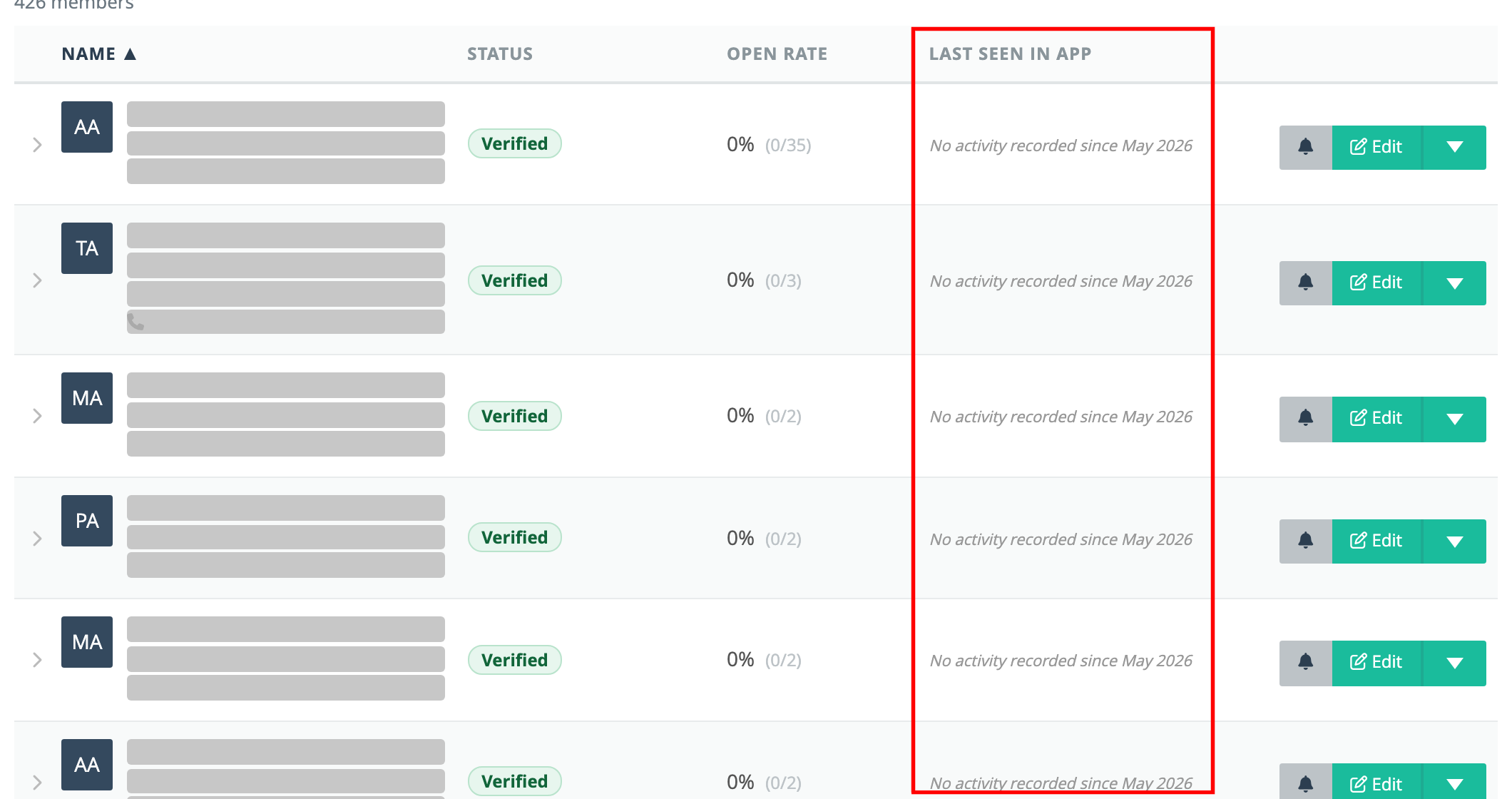
The date the member signed up isn’t in the table. Click anywhere on a member’s row to expand it: the Activity section shows Account created (the sign-up date), Last seen in app, and their push notification open rate.
What the “Last seen in app” column can say
- A date (e.g. Jul 28, 2026 (3 days ago)) — the last time the member opened the app.
- — (a dash) — the member isn’t verified yet, so they can’t sign in. (If your local lets members use the app before they’re verified, you’ll see one of the lines below instead.)
- No device registered — no device has ever been linked to this member, so they most likely haven’t installed the app.
- No activity recorded since May 2026 — a device has been seen, but the member hasn’t opened the app since activity tracking began.
Important: Activity tracking began on May 14, 2026. Visits before that date weren’t recorded, so a blank or “No activity recorded” line for a long-time member doesn’t necessarily mean they’re inactive — it may just predate tracking.
Sorting by activity
Click the Last seen in app column heading to sort members by activity, most recently active first. Click it again to show the least recently active first. An arrow next to the heading shows which column the list is sorted by and in which direction. Members with no recorded activity are always listed last.
The Name and Open rate headings sort the same way. To go back to the default order (by last name), click Reset next to the filters. Reset also clears any bargaining unit, location, group or role filter, but keeps your search and the tab you’re on.