
Send a push notification to everyone in a bargaining unit, group, or location with a single click. The audience is set automatically — you only need to write the message.
Steps
- Log in to the app manager.
- Open Bargaining Units, Groups, or Locations from the left menu.
- Click the bell icon next to the bargaining unit, group, or location you want to notify.
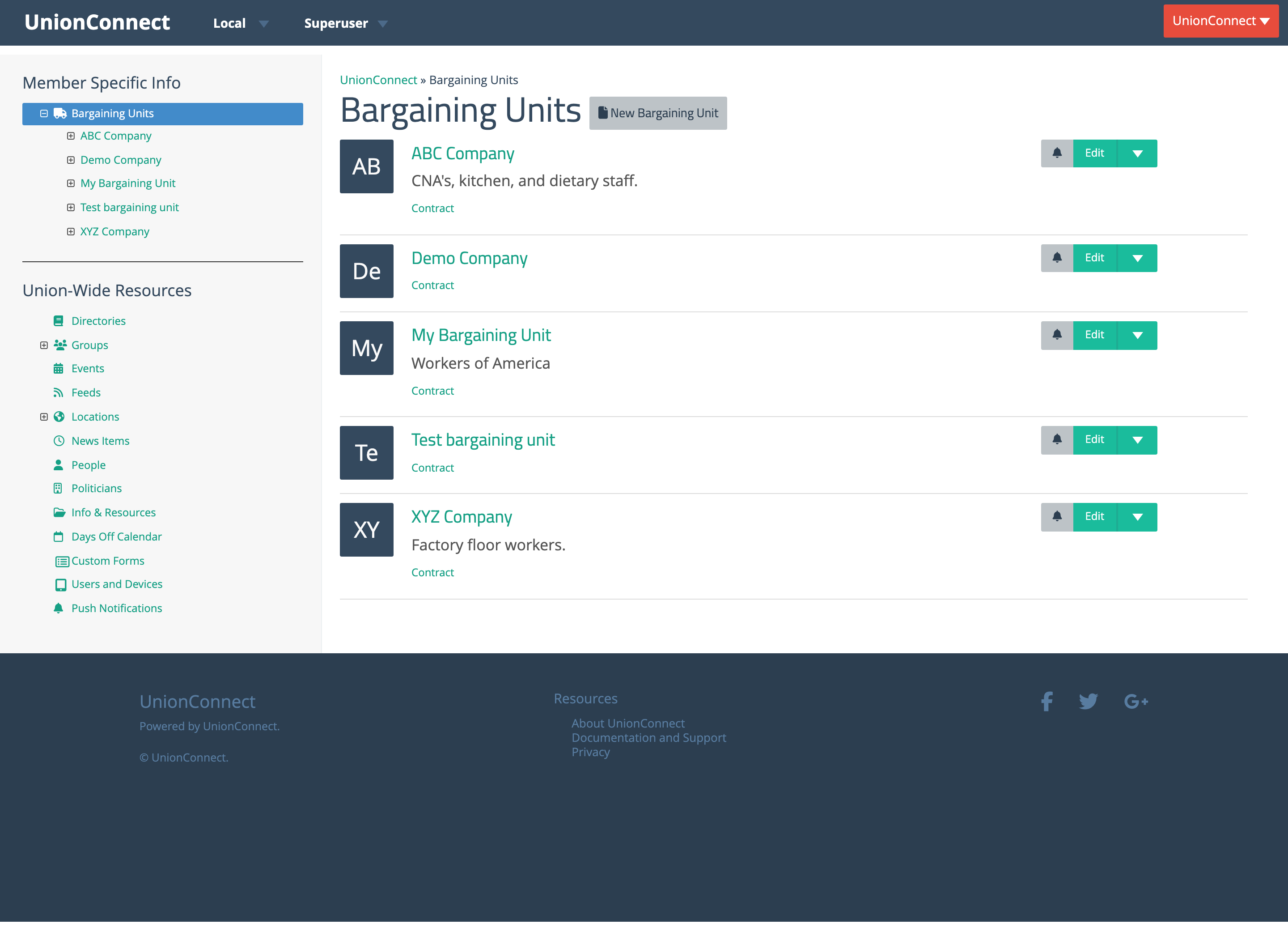
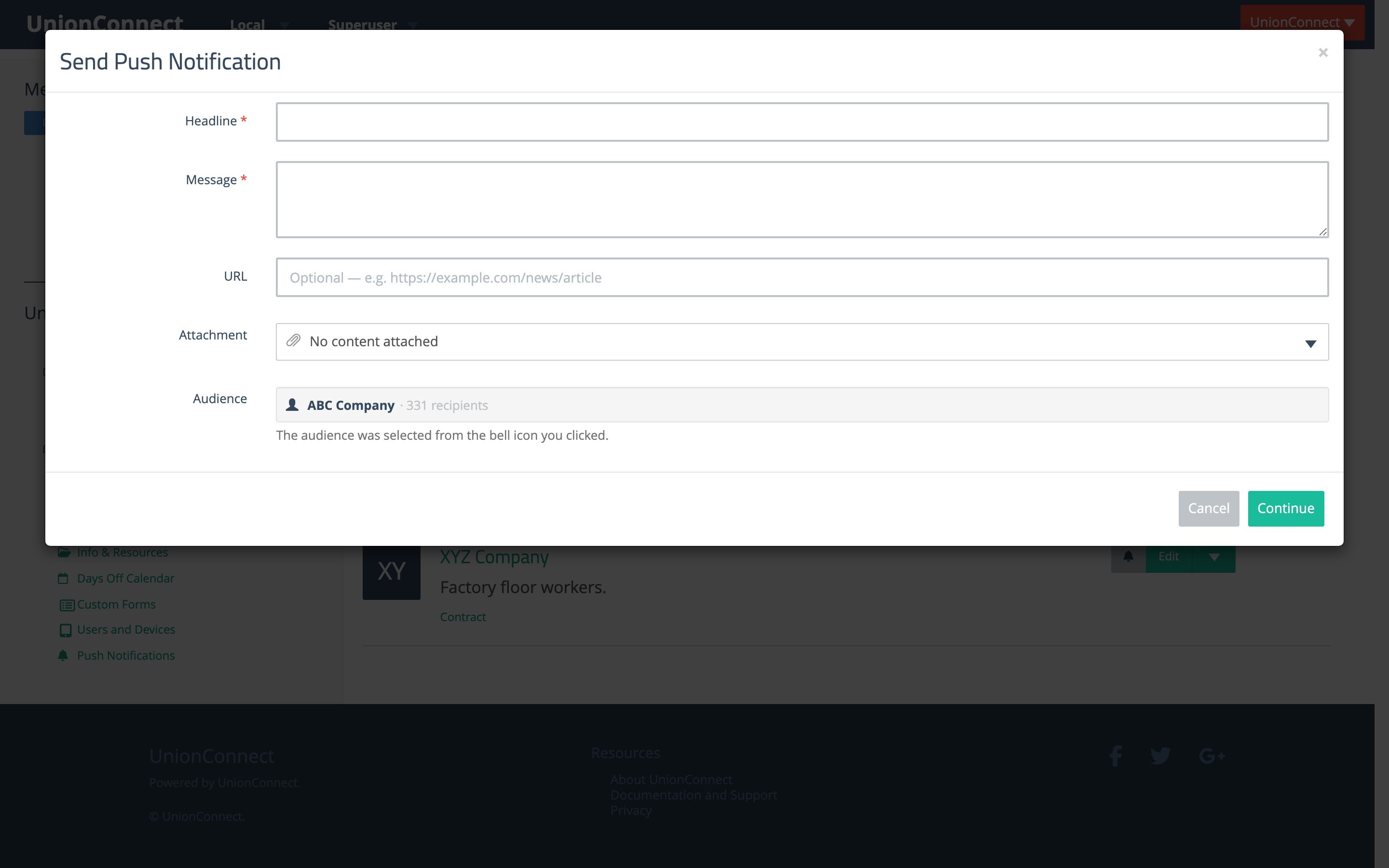
The Send Push Notification modal opens with the audience already filled in.
- Enter a Headline and Message. Both are required.
- Optionally add a URL, or use the Attachment dropdown to attach a news item, event, resource, or form. The attached content opens in the app when the member taps the notification.
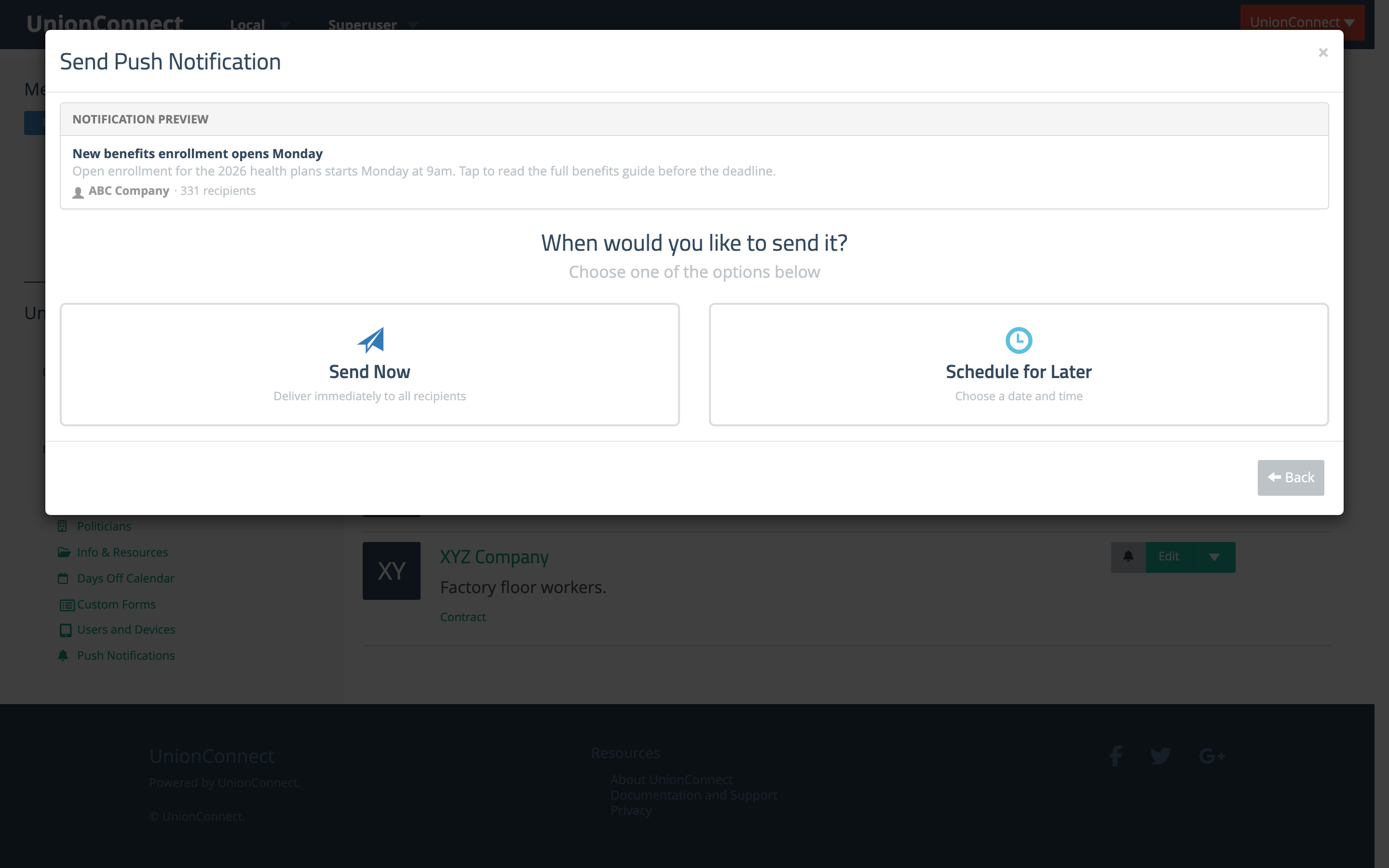
- Click Continue.
- Choose Send Now to deliver immediately, or Schedule for Later to pick a date and time.
You can review delivery and read counts from the Push Notifications Hub.